
Timeero automatically tracks time, location, and work as it happens so your records are accurate from the start, without chasing your team or fixing mistakes later.


thousand of teams managing mobile crews every day
.png)


Your crew forgets to clock in. It happens all the time. That means missing hours, messy edits, and payroll you can’t fully trust.
With auto clock-in and out, your team is automatically clocked in when they reach the job site and clocked out when they leave. It all happens in the background, so there’s nothing to remember and nothing to fix later.

.png)
Without visibility, you end up relying on calls, texts, or guesswork to know what’s happening in the field.
Timeero tracks time and GPS together, so you can see who’s on the clock and where they are throughout the day. Each time entry is tied to a real location, which makes everything easier to trust and verify.
Mileage is easy to put off and hard to recreate later. That usually leads to rough estimates or missed reimbursements.
Timeero tracks drives as they happen and organizes them into clear, usable records. When it’s time for reimbursement or reporting, everything is already there.

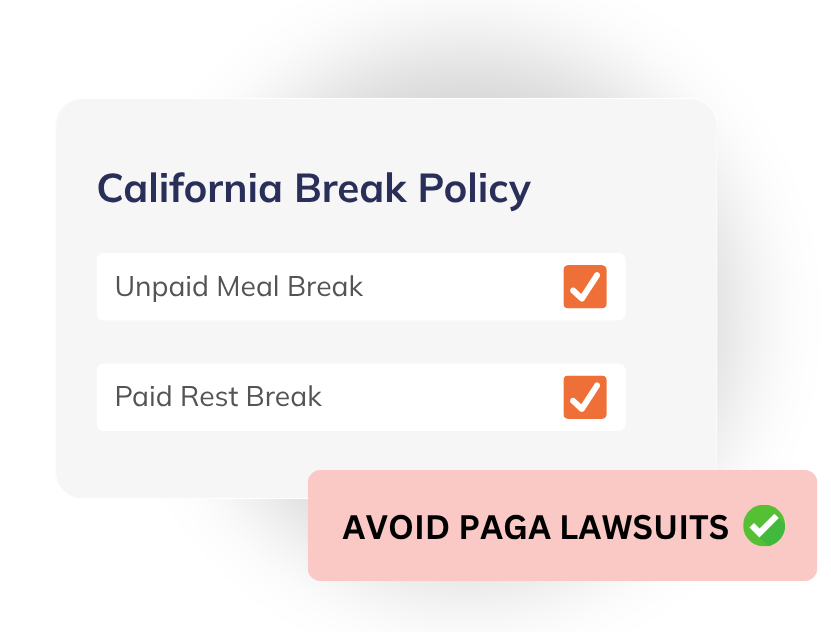
Break tracking isn’t just about staying organized. In many states, it’s a compliance issue, and missing or unclear records can turn into real risk during disputes or audits.
Timeero tracks breaks as they happen and ties them to each shift, so you have a clear record of when breaks were taken and how long they lasted. You can set rules that match your policies and keep documentation that’s ready if you ever need to prove compliance.
Track time, GPS, mileage, breaks, schedules, and job activity automatically in one place, without chasing your crew or fixing payroll mistakes later.
Start Your Free Trial
Time-off requests often get buried in messages or emails, which makes planning harder than it needs to be.
Timeero gives your team a simple way to request time off, and everything stays organized in one place. You can review, approve, and keep track of it without digging through conversations.
When your team is moving between jobs, it’s hard to see where time actually goes. Most of it ends up lumped together, which makes reporting and job costing less reliable.
With Segmented Tracking, employees clock in once and Timeero automatically maps out their entire day. Routes, stops, job time, and breaks are all captured in the background, giving you a clear view of time on the road versus time on-site.

.png)
When communication is spread across texts, calls, and different tools, messages get missed.
Timeero includes built-in messaging so you can send updates, reminders, or instructions directly to your team. It keeps communication simple and easy to follow.
No more fixing timesheets or retyping hours into payroll.
Timeero sends your approved time, mileage, and job data straight to your payroll or accounting system, so everything is already where it needs to be.
Everything stays in sync, from the field to payroll, without extra steps.


Yes you sure can! Our software is built to work offline. This means that without an internet connection, you can still track time, mileage and more.
Timeero tracks time, mileage, GPS, scheduling and much more. It is your ultimate workforce management companion for your field team.
Absolutely! You need to be online to download and install the app, however, it will track and collect data with or without an internet connection.
The amount of data varies based on different factors e.g. your device, if you are on WiFi or not, how often you track time, mileage, and location. Most users on Timeero will use less than 20MB of data per month.
Our prices start at $4 per user per month. You can see all the plans on our pricing page. However you don’t need to purchase straight away. If you want to give it a try before buying, you can start a 14-day free trial!
You can track time through the Timeero mobile app, web app, and kiosk app.
You can set up the app to monitor employee location and collect data only when they’re on the job. This way, you can eliminate any privacy concerns among employees and potential violations of applicable laws.
Battery drain is a common concern when it comes to GPS tracking, and while the app will shorten the battery life somewhat, we’ve designed it so that it can run in the background and minimize this impact.


.png)
.png)
Ask AI about Timeero



.png)


