Workyard is highly effective for tracking labor hours against complex construction cost codes, but its unexpected company base fees and lack of automatic mileage tracking create immediate administrative headaches.
Tracking gaps and rigid feature paywalls force many growing field service and trade operations to search for more flexible, travel-friendly management tools.
We put the top competing platforms through real-world field tests, evaluating them across strict criteria to find the most suitable Workyard alternatives.
Our tests showed that Timeero is the strongest overall alternative, delivering completely automated mileage tracking, a seamless offline sync, and affordable per-user pricing with zero base fees.
For many construction companies, Workyard initially seems like the perfect fix. It offers offline tracking, GPS breadcrumbs, and job costing tools built specifically for the trades. If you only need to match labor hours to project budgets, the app does real work.
However, if you manage a large field team, Workyard charges a mandatory $50/month company base fee before you even pay for a single user. If your team needs tools like real-time GPS visibility, automatic mileage tracking, scheduling and geofencing, these features require an even more expensive Pro upgrade.
If your team is hitting these exact roadblocks, you have options. We researched and tested the five best Workyard alternatives to help protect your payroll.
Here are the apps that made our list:
Timeero
ClockShark
Connecteam
Buddy Punch
Jibble
Done with Workyard's base fees and manual mileage workarounds?
Timeero tracks time, mileage, and routes automatically from a single clock-in — with no company base fee.
Timesheet friction is incredibly common when managing a mobile crew. In fact, Timeero’s 2026 GPS Survey revealed that 79.3% of field workers have experienced timesheet disputes.
To see which platforms actually eliminate this friction and handle a hard day's work, I put each platform through a series of hands-on tests to see how well they protect your payroll and track your crew.
I tested each app using the following as criteria:
Time & mileage accuracy: To keep things completely fair, I clocked in and traveled a specific test route that combined both walking and driving segments.
User-friendliness: I spent time inside each mobile app to see how easily a worker can navigate the screen on a busy job site.
Offline functionality: I intentionally placed my mobile device into airplane mode mid-shift to simulate working in dead zones with no cell coverage.
Geofencing & automation: To check how the apps react when you walk onto the property, I drew virtual boundaries around our test job sites.
Tier accessibility: I checked whether critical daily tools like scheduling and geofencing are ready to use on the baseline plan, or if you're forced to upgrade to a more expensive tier just to organize your crew's day.
Reimbursement & dispute-readiness: After completing the test route, I went into the dashboard to pull the numbers and checked if the app can generate an audit-ready report.
The 5 best Workyard alternatives for 2026
Key feature
TimeeroOur pick
ClockShark
Connecteam
Buddy Punch
Jibble
Real-time GPS
✓
✓
✓
✓Add-on (+$2/user/month)
✓
Auto clock-in/out
✓
✕Reminders only
✕Reminders only
✕
✓Geofence-based; 300m min radius
Automatic mileage tracking
✓
✕
✕Manual odometer only
✕Manual logs only
✕No travel engine
Break tracking
✓
✓
✓
✓
✓
California break compliance
✓
✕
✕
✕
✕
Geofencing
✓
✓
✓
✓
✓Limited (coordinates setup clunky)
Scheduling
✓
✓
✓
✓Add-on (+$1/user/month)
✓
Break reminders
✓
✓
✓
✓
✓
Route Replay
✓
✕Straight lines only
✕Straight lines only
✕
✕Straight lines only
GPS breadcrumbs
✓
✓Limited (15–20 minute intervals)
✓Gated (Expert plan @ $99/month)
✕Only grabs punch point
✓Limited (straight lines between pins)
Offline tracking
✓
✓
✕Fails/locks up offline
✕Requires cell signal
✓
Custom forms/fields
✓
✓
✓
✓Limited (basic notes field)
✓Limited (basic fields)
1. Timeero — Best for field teams needing heavy mileage & route tracking
Timeero is a field visibility app that offers automated tracking for time, locations, and driving distance completely for business owners who want to eliminate manual work logs.
Kiosk app offers facial recognition that stops buddy punching at central job hubs.
Cons
It doesn't feature built-in customer quoting or direct client invoicing tools.
Segmented Tracking is a paid add-on for Pro and Premium tier accounts.
Overview of key features
Automatic mileage tracking
Once an employee clocks in through the mobile app, Timeero uses drive-detection technology to track mileage as soon as the predefined speed threshold is reached. Mileage is captured automatically in the background and GPS data is used to map out exact routes even when the user’s mobile device is offline. Once connection is restored, time and mileage data auto-syncs to the cloud, guaranteeing fair employee reimbursement and 100% accurate payroll.
Route Replay and GPS breadcrumbs
Timeero drops GPS breadcrumbs along your worker’s driving routes and attaches them directly to every timesheet. Each breadcrumb records exact timestamps, location addresses, and driving speeds, increasing the accuracy of employee mileage tracking.
During hands-on testing, Timeero delivered the most accurate, turn-by-turn map of my driving route.
Managers can use Timeero’s Route Replay to see exactly where crews traveled during their shifts. This gives you solid, undeniable proof of travel if a client ever challenges a service visit or you're trying to verify a specific driving path.
Segmented Tracking
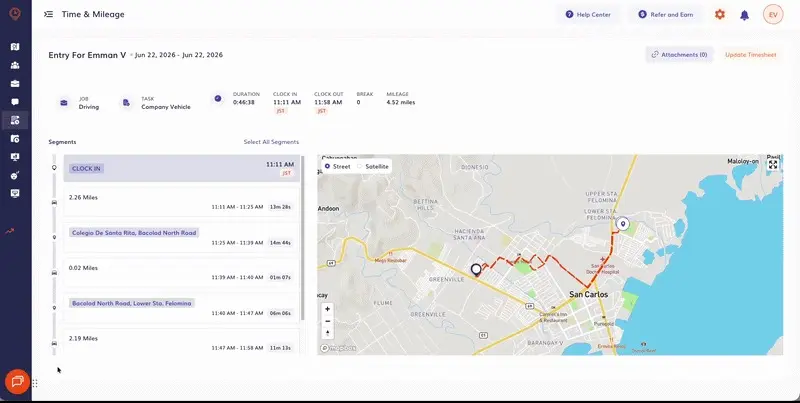
You can see exactly how much time was spent driving vs. time spent at each property.
For crews visiting multiple job sites in one day, Segmented Tracking eliminates the hassle of constant manual punches. Your crew clocks in once when their workday starts and Timeero automatically divides their day into individual driving segments based on the stops they made.
The Segmented Tracking timeline then shows each location that was visited, the distance traveled between each stop, and how long the employee spent at each location.
Geofencing & Auto Clock-In/Out
Timeero’s Auto Clock-In/Out feature uses geofencing technology to automatically clock employees in and out when they arrive at and depart from job sites.
When employees forget to clock-in and out, HR teams spend hours piecing together timesheets before payroll. Once Auto Clock-In/Out is enabled, Timeero restricts employees from clocking in outside of work hours and from unauthorized locations, eliminating missed punches and time theft.
California Breaks Tracker
California’s meal and rest break laws are strict and come with costly penalties and fines. Timeero takes the headache out of compliance with its built-in California Break Policy feature.
Once you assign the relevant employees to California Breaks, they are sent break reminders throughout their shift, and are required to complete a Daily Sign-Off form verifying they took their required breaks before they can clock out.
Workers must add an electronic signature to the form and include a valid reason for skipping their breaks if applicable. This documentation protects your business from PAGA claims and expensive lawsuits.
Facial Recognition (Kiosk app)
You can set up an iPad right in your construction trailer or foreman’s truck so the entire crew can clock in together. Instead of typing PINs or sharing badges, workers simply snap a quick photo at clock-in, completely eliminating buddy punching without requiring any expensive, specialized hardware.
Pricing
Plan
Monthly pricing
Annual pricing
Basic (max 10 users)
$6.00 / user / month
$5.00 / user / month
Pro
$9.00 / user / month
$7.50 / user / month
Premium
$12.00 / user / month
$10.00 / user / month
Enterprise
Custom quote
Custom quote
Annual billing saves you two month's cost. No base fees. 14-day free trial — no credit card required.
What users are saying about Timeero
"This software gives you a clear overview of the tasks of the project plus helps you to scale and improve your times. I can easily track and analyze my budget to know if it is worth the time spent in a given project task including how much expected profits are obtained."
— Rick L., Ellsworth Electric Inc. (Verified Review)
Our verdict
When I finished the test route and checked the admin dashboard, I didn't have to clean up a messy timeline or fix missed punches. The exact miles I drove appeared right on the timecard, including the miles I drove while offline in airplane mode.
Timeero provided the cleanest data with the lowest amount of admin effort, which makes it the strongest alternative to Workyard for crews who spend their days driving between job sites and can't afford to waste time on estimated mileage or unexpected company base fees.
2. ClockShark — Best for construction crews requiring group punches
ClockShark is a trade-focused time tracking and field service app built for construction management.
Pros
ClockShark lets a single supervisor clock an entire workforce in at once.
Includes built-in quoting and customer invoicing tools within the app.
Enforces simple clock-out questions to collect project notes at shift-end.
Cons
Absolutely no mileage tracking capabilities exist on any tier.
Forces a flat company base fee of $40 to $60 every month.
A 3 year contract is required for all pricing plans.
Lower GPS ping frequency, only maps locations roughly every 15 minutes.
Overview of key features
Time and location tracking
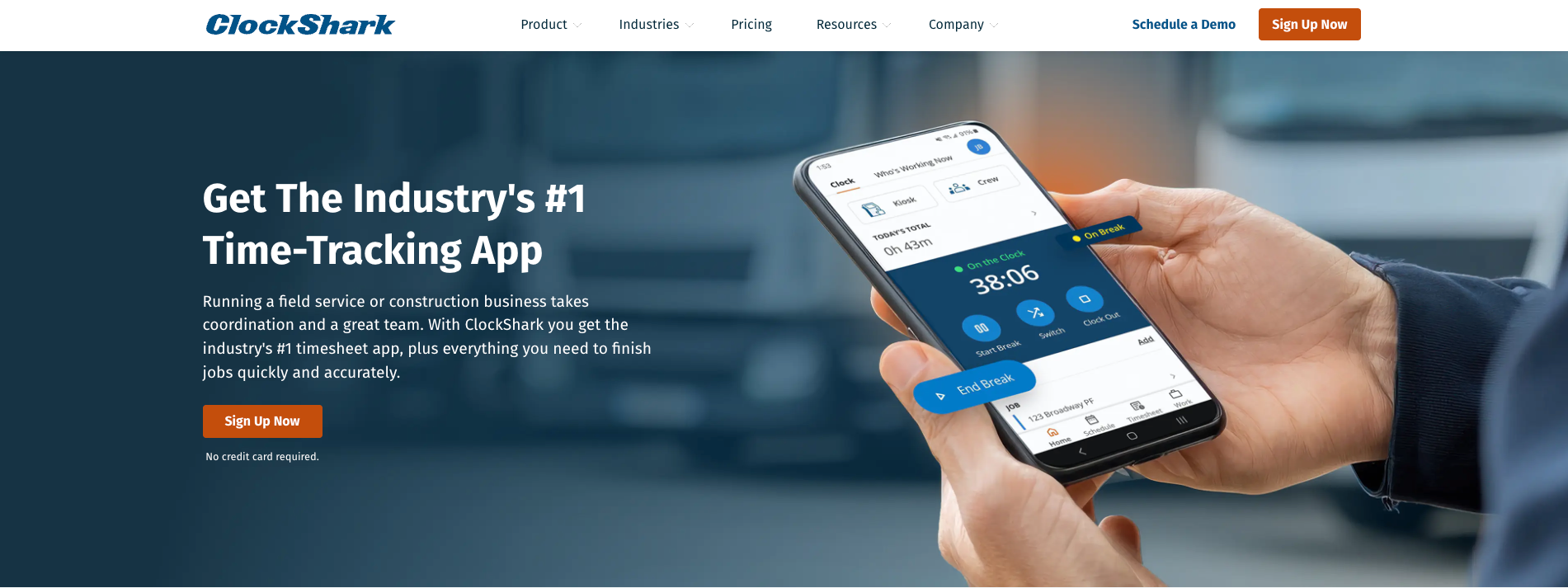
Clockshark’s timesheets show where clock-ins/outs occurred
Clocking-in with ClockShark is simple. Workers access the app with just their email and password and clock in with a single tap.
One positive note, if your team frequently works in remote areas or deep construction zones with zero internet connection, the app's offline tracking stores your crew's hours and location data locally on the employee’s mobile device and automatically syncs it over to the office the second they regain connection.
Crew management
ClockShark's defining feature is CrewClock, which is built specifically for trade foremen. Instead of forcing every single worker to pull out their phone at a busy job site, the foreman opens their screen and clocks in the entire group in seconds.
This feature reduces the amount of time theft and early/late clock-ins for the whole crew.
Project budgeting & billing
ClockShark allows your field workers to quickly tag their hours to specific projects, tasks, and cost codes. This flows directly into basic financial reporting, allowing small contractors to compare actual field labor hours against their initial client quotes without opening external accounting platforms.
Pricing
Before subscribing to ClockShark, note that a contract term of 3 years applies to all pricing plans.
Standard plan: $40/month + $9/user/month
Pro plan: $60/month + $11/user/month
What users are saying about ClockShark
"I love this software because it consolidates the time-keeping and payroll process. It simplifies something that can get overwhelming & helps us keep an eye on what jobs to bill for labor!"
— Hayley L., Trade Operations
Our verdict
ClockShark is incredibly easy for field teams to use. However, its GPS tracking capabilities are highly inaccurate for mobile teams.
Because GPS only captures location points every 15 minutes, the gaps on my test route were filled in by drawing a straight line to suggest the shortest path, completely missing the actual streets that were traveled. ClockShark is a great fit if your crew stays on one construction site all day, but a poor choice if you have to track driving routes.
3. Connecteam — Best for multi-site operations focused on employee training
Connecteam is an all-in-one deskless workforce management platform that offers time tracking, communication, and HR tools under three different plans (Operations, Communications, HR & Skills).
Pros
Features an incredibly robust internal team chat and announcement feed.
Custom checklists and field forms provide an excellent mobile preview.
The Small Business Plan is completely free for up to 10 users.
Cons
Requires an active internet connection to work; tracking fails entirely offline.
Plans must be purchased individually depending on the features you need.
Mileage is not tracked by GPS, forcing workers to guess odometer totals.
Key GPS breadcrumb features are locked behind their expensive $99/month Expert tier.
Overview of key features
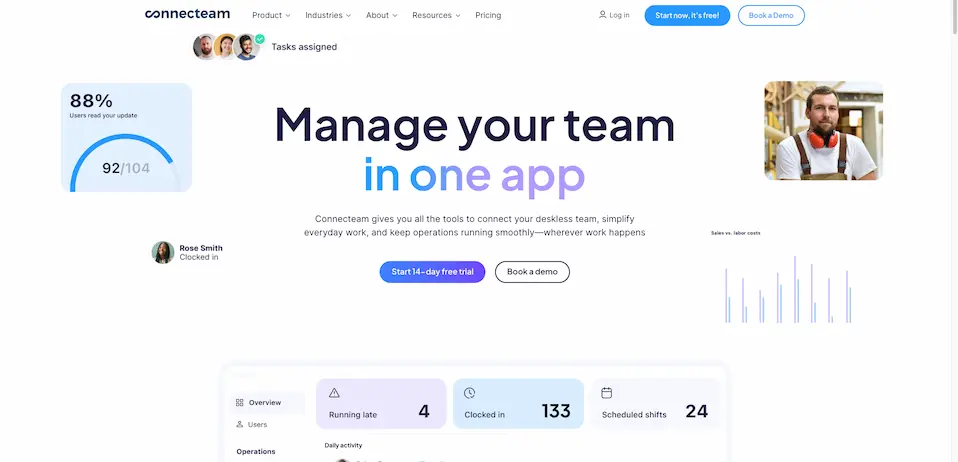
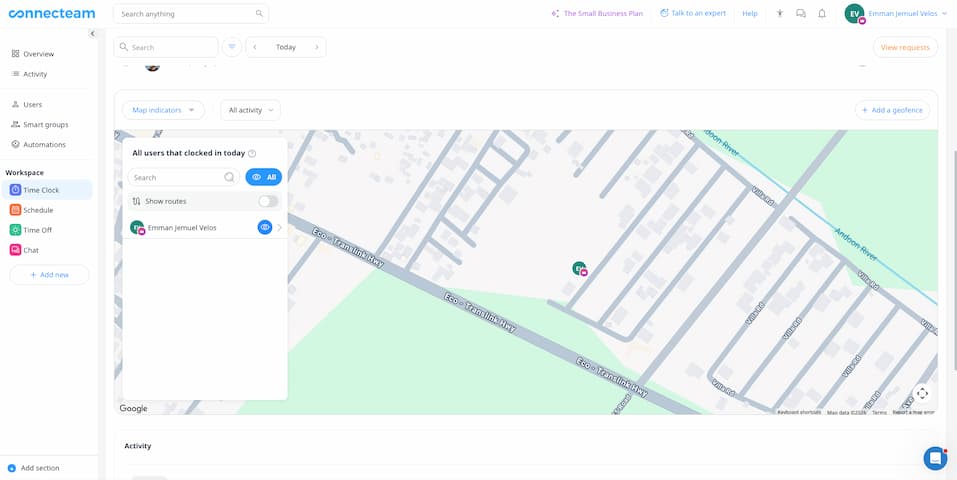
Connecteam gives you a quick view of employees currently clocked in
Workforce communication
Connecteam organizes its software into distinct hubs, with the Communication hub leading the pack. Managers can blast company updates, build direct multi-worker chat lines, publish custom employee surveys, and share training videos directly through the mobile dashboard.
Custom forms & checklists
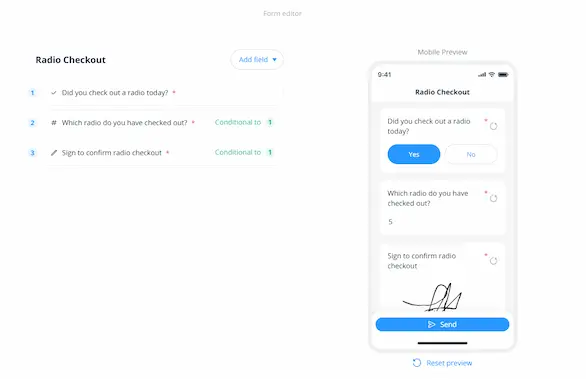
The Operations hub allows you to build custom digital forms for safety inspections, incident reports, or equipment handovers. The desktop manager lets you drag and drop fields while looking at an exact mobile preview of what your crew will see in the field.
Create custom forms and view a mobile preview before publishing
Pricing
Plan tier
Monthly pricing (First 30 users)
Annual pricing (First 30 users)
Extra user fee (Over 30 users)
Small business
Free
Free
N/A (10 users max)
Basic
$35.00 / month
$29.00 / month
+$0.60 / month
Advanced
$59.00 / month
$49.00 / month
+$1.80 / month
Expert
$119.00 / month
$99.00 / month
+$3.60 / month
What users are saying about Connecteam
"The migration was simple and quick, the format of the app and program is easy to navigate and clear to understand... Connecteam has been a game-changer for our company. Once you understand scheduling and forms, it streamlines all our engineers' shifts."
— Damian, Fields Operations
Our verdict
My field tests showed that Connecteam works beautifully as an all-in-one workspace, though it does introduce some hurdles for remote crews, specifically its lack of mileage tracking and offline functionality.
The login process is a bit too lengthy, forcing us to pass a captcha and wait for an external 4-digit text code just to open the app, which turns a simple clock-in into a multi-step process.
Additionally, when I tested its offline functionality in airplane mode, the app locked up entirely with a spinning wheel and stopped tracking. It's an excellent choice if you want to run your entire operation from a single platform, provided your team has reliable cell coverage.
4. Buddy Punch — Best for small to mid-sized teams prioritizing absolute simplicity
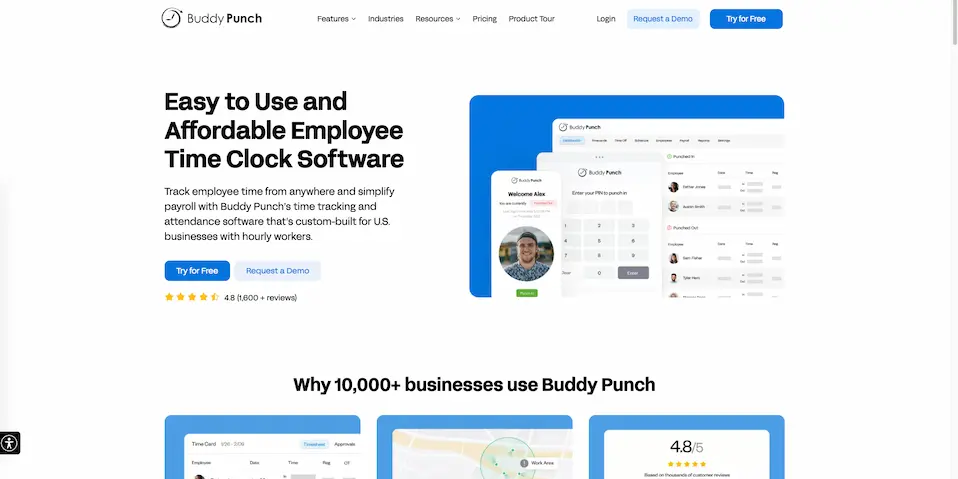
Buddy Punch is a basic digital time clock software that takes the complexity out of tracking hourly shifts.
Pros
Offers multiple flexible employee login options, including facial recognition.
Clean, non-cluttered design that a small workforce can pick up in minutes.
Seamless direct payroll exports that plug directly into Gusto and QuickBooks.
Cons
It does not track mileage, requiring your workers to enter miles by hand.
GPS data is only recorded at the exact moment of a punch; no live routes are mapped.
Imposes a flat $19 monthly base fee across every paid tier.
Overview of key features
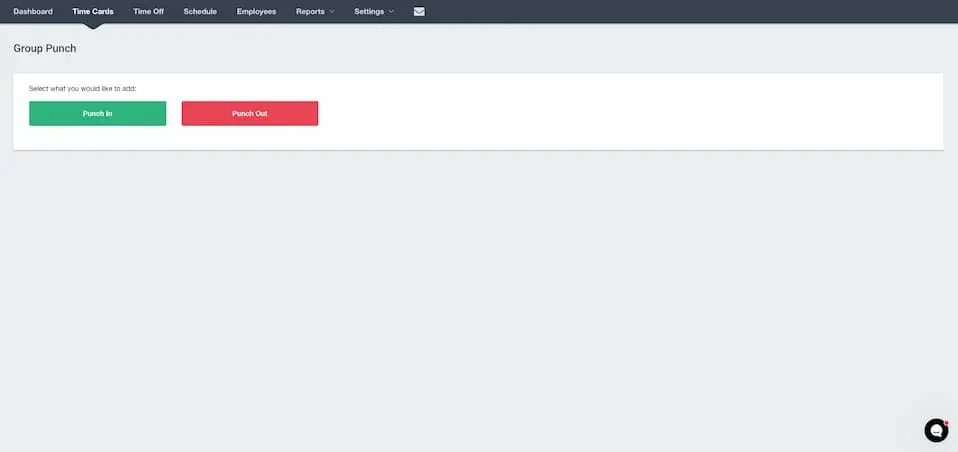
Buddy Punch’s Group Punch feature gives managers more control over employee scheduling
Flexible punch paths
Buddy Punch excels at giving managers control over how their crew logs time. Workers can clock in using a standard password, a fast 4-digit PIN code, unique QR codes, or touch-free facial verification via a webcam to eliminate buddy punching.
Group punch
If your employees all start and end their work shifts at the same time, administrators and supervisors can utilize the group punch feature directly from the web portal to clock multiple crew members in or out simultaneously.
Time-off management
Buddy Punch includes a straightforward PTO tracking system where workers can review their active balances and submit time-off requests directly from their phones. Managers get instant dashboard notifications to approve or deny requests to keep job sites properly staffed.
Pricing
Plan tier
Monthly pricing
Annual pricing
Starter
$5.49 / user / month
$4.49 / user / month
Pro
$6.99 / user / month
$5.99 / user / month
Enterprise
$11.99 / user / month
$10.49 / user / month
Optional add-ons:
Payroll: $6/user/month
Scheduling: $1/user/month
Real-time GPS: $2/user/month
Data retention: $2/user/month
Custom reporting: $2/user/month
What users are saying about Buddy Punch
"It allows me to have a more accurate payroll with time breaks and exact punch-in/punch-out times."
— Mark B., Warehouse Manager
Our verdict
Buddy Punch is a great, straightforward alternative for small teams looking to transition from paper timesheets and simplify their payroll process. My hands-on tests showed that logging in is incredibly easy, though the software is definitely better suited for stationary crews.
When I put my test device into airplane mode, the app couldn't track any data, as it lacks a reliable offline mode.
Buddy Punch captures GPS coordinates at clock-in/out rather than recording continuous driving routes, making it a solid choice for teams with reliable cell service that need simple timekeeping.
5. Jibble — Best for budget-conscious teams wanting a strong free tier
Jibble is a free-to-use time clock platform featuring advanced biometric facial recognition and clean attendance tracking.
Pros
Features a genuinely free plan with limitless time tracking for unlimited users.
Facial recognition anti-spoofing is active even on the zero-cost tier.
The mobile interface responds instantly with no lag or processing delays.
Cons
It does not include mileage tracking on any plan.
Setting up geofences on the map is highly restricted and clunky.
Live route maps connect locations with straight lines instead of actual roads.
Overview of key features
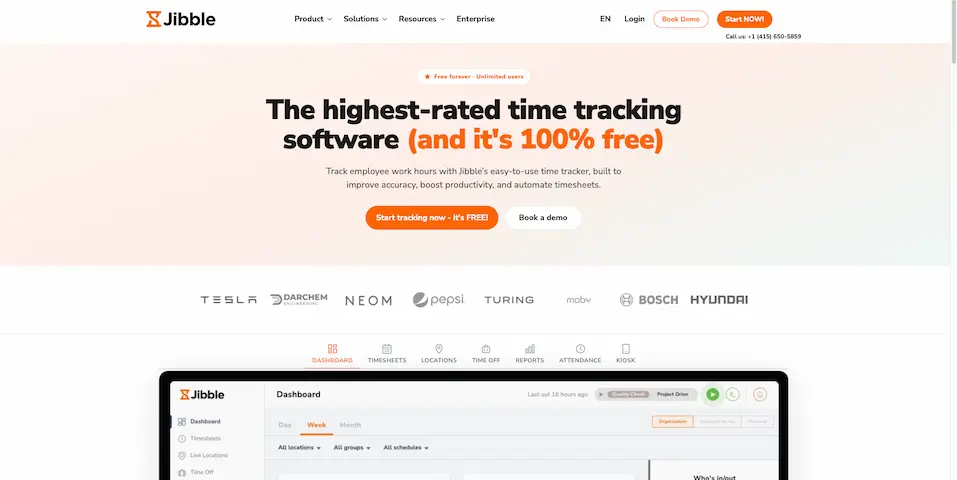
Jibble lets you assign a location as a geofence for easier time tracking
Live location tracking
For managers who need to coordinate a scattered workforce, Jibble’s Live Location Tracker displays the current location of employees that are on the clock. The moment a crew member clocks into their shift from a mobile device, their live GPS position updates on the map.
This gives you instant visibility into who is currently working and exactly where they are stationed throughout the day.
Biometric facial recognition
Jibble includes highly accurate facial recognition technology to eliminate buddy punching and time theft. Your crew simply looks into their phone camera for a few seconds to verify their identity before the app approves their clock-in punch.
Tablet kiosk mode
You can easily convert any standard tablet or smartphone into a centralized time clock station for your shop or warehouse. Employees walk up to the device, scan their face using the app’s facial recognition technology, and head out to the field with an accurate location stamp.
Pricing
Plan tier
Monthly pricing
Annual pricing
Free
$0 (Unlimited users)
$0 (Unlimited users)
Premium
$4.99 / user / month
$3.49 / user / month
Ultimate
$9.99 / user / month
$6.99 / user / month
Enterprise
Custom quote
Custom quote
What users are saying about Jibble
"Ever since we implemented Jibble, managing time attendance in my company has been effortless. The reports are well-structured and highly customizable... However, the best aspect, in my opinion, is the pricing model and the availability of a free plan."
— Lisa, IT & Services Manager (Capterra Review)
Our verdict
While Jibble is a fantastic zero-dollar alternative for skipping Workyard's $50 base fee, my hands-on tests showed it's better suited for fixed locations than active mobile crews.
During my testing, I couldn't drag the geofence map pin to adjust boundaries and had to type in the exact location coordinates instead. Additionally, its route tracking simply draws straight lines between stops instead of mapping actual roads, a downside for teams needing real-time mileage tracking.
If your team works out of a central shop or fixed hub and you need advanced facial recognition to stop buddy punching, Jibble is a highly capable tool that covers the timekeeping basics for free.
Take control of your field operations with Timeero
When your crew spends their day moving between multiple job sites, relying on manual logs or disjointed tracking systems quickly leads to administrative headaches and payroll guesswork.
As the best Workyard alternative, Timeero unifies your entire workflow by capturing time, routes, and mileage perfectly from a single clock-in. By shifting the tracking burden away from your workers and onto automated, high-accuracy technology, you get an honest, audit-ready record with zero extra effort.
If you want to stop chasing down paper mileage logs or fixing missed punches just to get through Friday payroll, it’s time to change how you track your field data.
Timeero is the best alternative to Workyard for mobile field crews. It combines precise GPS time tracking with automatic, speed-detected mileage logging in a single platform, completely eliminating the $50 company base fee that Workyard charges.
Is Workyard good for construction teams?
Yes, Workyard is an effective tool heavily geared toward the construction industry. It features robust labor cost codes and project tracking reporting that help teams monitor construction budgets closely.
Does Workyard track mileage automatically?
No. In fact, Workyard restricts mileage tracking entirely to their Pro and higher plans, and even then, it lacks true automatic drive-detection technology. Crews are still left relying on manual adjustments or odometer checks.
How much does Workyard cost per user?
All Workyard plans require a mandatory $50 monthly company base fee. On top of that base fee, the Starter plan costs $6 per user per month, while the Pro plan costs $13 per user per month.
Can Workyard automatically clock employees in and out?
No, Workyard cannot automatically clock your crew in or out based on location. It uses geofencing boundaries strictly to push automatic reminders to workers' phones prompting them to punch the clock manually.
Stop losing Fridays to missed punches and paper mileage logs.
Timeero tracks time and mileage automatically from one clock-in — no base fee.
Emman is a passionate writer with more than 6 years of digital marketing experience under his belt. As a licensed chemical engineer with a passion for writing, he marries the technical with the creative to create engaging copy that converts. He is also a certified #girldad who spends most of his day playing with his three girls when he's not busy writing.



.webp)
.webp)
.webp)
.webp)

%202.svg)


.png)
.png)



.png)


